In this guide, you will learn how to build a free Python website monitor that sends alerts to your telegram and phone
Have you ever experienced this? Your website went down for hours, and you had no idea until a friend told you.
While there are services like UptimeRobot, their free plans often have limitations or delays. As a developer learning to code, why not build one yourself? Today, we are upgrading our previous monitoring script to integrate a Telegram Bot.
Whether your site is down or running smoothly, it will send a report to your phone every 30 minutes. It’s completely free and real-time!
Step 1: Create Your Telegram Bot
First, we need to get a “messenger” on Telegram.
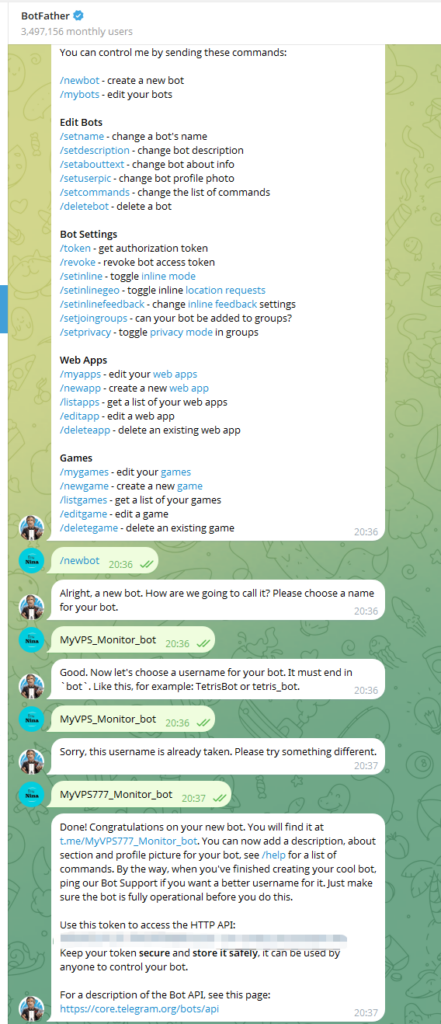
- Open Telegram and search for
@BotFather(look for the blue verified checkmark). - Click Start, then send the command:
/newbot - Follow the prompts to name your bot (e.g.,
MyMonitor) and give it a username (must end inbot, e.g.,MyMonitor_bot). - Once successful, you will receive an HTTP API Token (it looks like
123456:ABC-DEF...).
Note: Keep this Token safe and do not share it with anyone!
Step 2: Get Your Personal Chat ID
Now that you have a bot, you need to tell it where to send the messages (i.e., your ID).
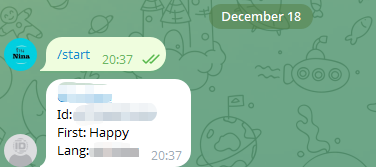
Write down this number; this is your Chat ID.
Search for @userinfobot on Telegram.
Click Start.
It will reply with a number (e.g., 123456789).
Step 3: Deploy the Python Monitoring Script
We will use Python’s requests library to check the status and datetime to log the time.
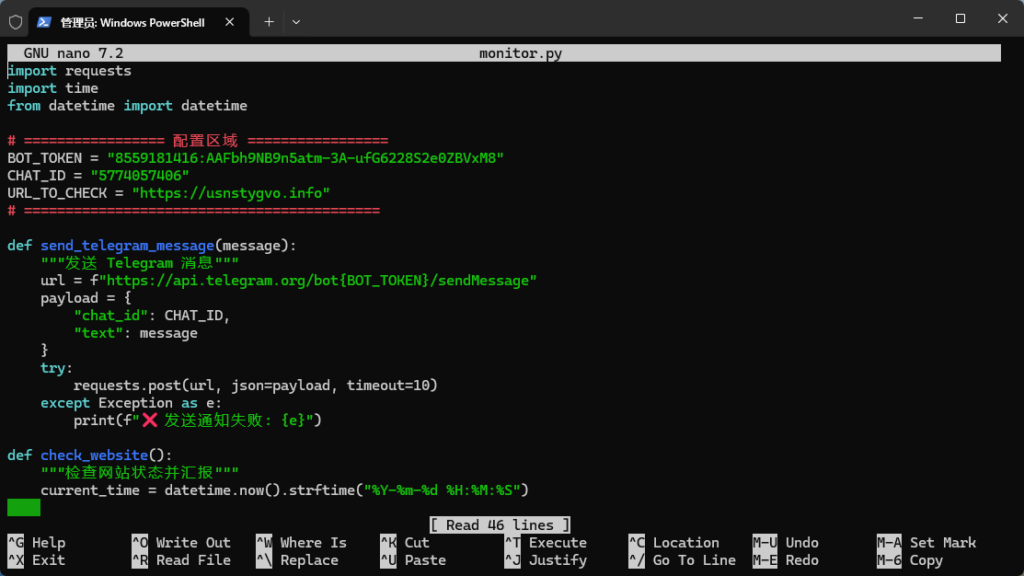
Create a new file named monitor.py on your VPS and paste the following code. Remember to replace the Token and ID at the top!
import requests
import time
from datetime import datetime

# ================= Configuration Area =================
# 1. Paste your Bot Token here
BOT_TOKEN = "YOUR_BOT_TOKEN_HERE"
# 2. Paste your numeric Chat ID here
CHAT_ID = "YOUR_CHAT_ID_HERE"
# 3. The URL to monitor
URL_TO_CHECK = "https://usnstygvo.info"
# ====================================================

def send_telegram_message(message):
    """Function to send Telegram messages"""
    url = f"https://api.telegram.org/bot{BOT_TOKEN}/sendMessage"
    payload = {
        "chat_id": CHAT_ID,
        "text": message
    }
    try:
        requests.post(url, json=payload, timeout=10)
    except Exception as e:
        print(f"❌ Failed to send notification: {e}")

def check_website():
    """Check website status and generate report"""
    current_time = datetime.now().strftime("%Y-%m-%d %H:%M:%S")

    try:
        # Set 10-second timeout
        response = requests.get(URL_TO_CHECK, timeout=10)

        # Logic: Send notification regardless of success or failure
        if response.status_code == 200:
            msg = f"✅ [Hourly Report] Website is UP\nStatus: 200\nTime: {current_time}\nURL: {URL_TO_CHECK}"
        else:
            msg = f"⚠️ [ALERT] Website Status Abnormal\nStatus: {response.status_code}\nTime: {current_time}\nURL: {URL_TO_CHECK}"

    except requests.exceptions.RequestException as e:
        # Network error or DNS failure
        msg = f"🚨 [URGENT] Website Unreachable\nError: {str(e)}\nTime: {current_time}\nURL: {URL_TO_CHECK}"

    # Print to console and send to Telegram
    print(msg)
    send_telegram_message(msg)

if __name__ == "__main__":
    check_website()
Step 4: Set Up Hourly Auto-Check
To keep the script running 24/7, we use the Linux Crontab.
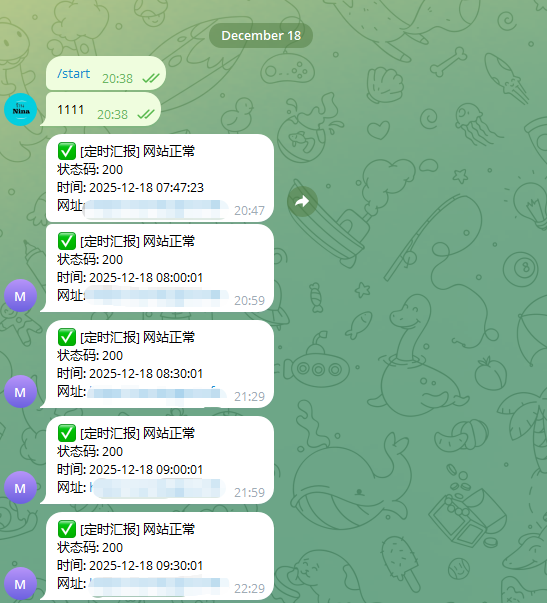
- Open your terminal and type:
crontab -e - Add the following line at the end of the file (this runs the script at minute 0 of every hour):
0 * * * * /usr/bin/python3 /root/monitor.py - Save and exit.
Now, even while you sleep, your bot will send you a “✅ Website is UP” message every hour, giving you complete peace of mind!
发表回复